
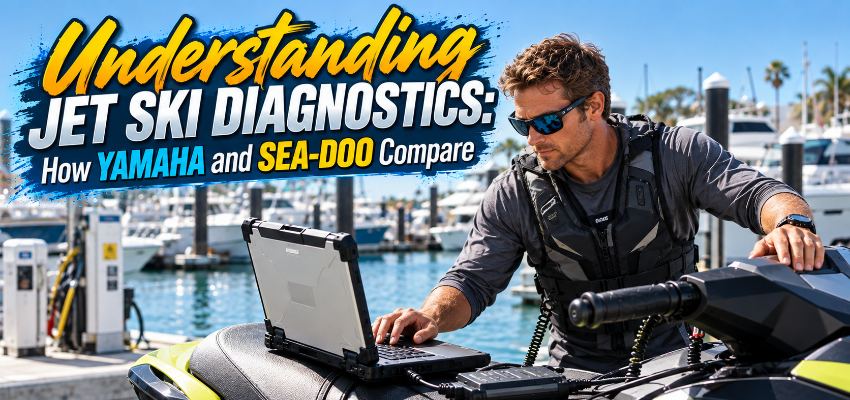
Modern personal watercraft depend on electronic control modules to manage fuel delivery, ignition, throttle operation, sensors, warning systems and other functions. When something goes wrong, a warning light or fault message may tell you there is a problem, but it usually does not tell you everything needed to diagnose it.
That is where a PWC diagnostic tool comes in. Connected through the watercraft's diagnostic port, the correct hardware and software can communicate directly with the electronic control system and show information that is not available from the gauge alone.
Need help choosing a PWC diagnostic tool?
Talk through Yamaha vs. Sea-Doo options, interfaces, and licenses with the MotoMarine team.Call MotoMarine
What Are Jet Ski Diagnostic Tools Used For?
The exact functions depend on the manufacturer, model, year and software license, but modern diagnostic systems can commonly be used to:
- Read stored and active fault codes
- Clear fault codes after a problem has been repaired
- View live sensor and engine data
- Review operating history and engine hours
- Perform certain component or actuator tests
- Reset maintenance or service reminders
- Carry out model-specific setup, calibration or programming functions
- Record or export diagnostic information
Live data is especially useful because it shows what the control system is seeing while the engine is operating. Battery voltage, engine speed, temperatures, throttle information and other available parameters can help a technician or jet ski owner narrow a problem down before replacing parts.
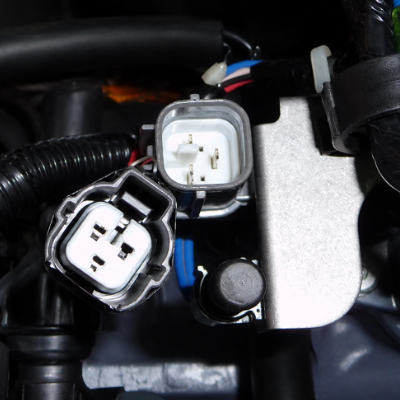
A fault code should still be treated as a starting point rather than a complete diagnosis. A code identifies the system or condition the ECU detected; proper troubleshooting may still require electrical testing, mechanical inspection, and reference to the appropriate service information.
Yamaha: YDS and YDIS Diagnostic Systems
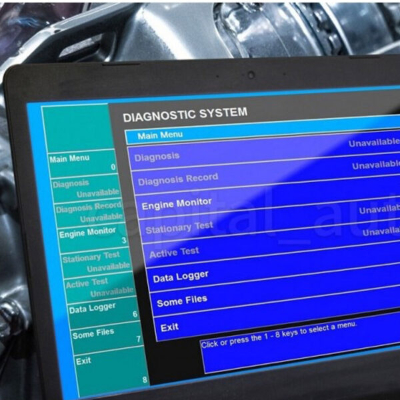
Yamaha uses its own diagnostic platform for WaveRunners and other Yamaha marine engines. Depending on the generation, you will see names such as YDS and YDIS, with newer equipment including YDIS2 and mobile YDIS Smart options.
MotoMarine carries Yamaha diagnostic tools covering several generations of Yamaha equipment. Because support changes with model year and engine electronics, compatibility should be checked against the individual kit before purchasing.
Yamaha's diagnostic software can provide access to stored fault information and real-time engine data, allowing a technician to see what the control system is reporting rather than relying only on a warning displayed on the WaveRunner. Depending on the model and YDIS generation, that information can include operating parameters, engine-hour data and diagnostic history that help narrow down intermittent or system-specific problems before parts are replaced. For model-specific procedures and specifications, Yamaha directs WaveRunner owners to the appropriate owner's and service documentation through its official WaveRunner Boating Resources section.
MotoMarine's current Yamaha lineup includes older-generation YDS equipment, YDIS2 kits for newer applications and a Bluetooth YDIS Smart adapter for supported models.
| Yamaha Diagnostic System | Typical Use | Connection Style |
|---|---|---|
| YDS | Older WaveRunners and Yamaha outboards | PC software + cabled interface |
| YDIS / YDIS2 | Newer WaveRunner platforms and ECUs | PC software + updated interface and harness |
| YDIS Smart | Supported late-model Yamaha PWCs | Bluetooth adapter + mobile application |
Sea-Doo: BUDS, BUDS2 and BUDS3
Sea-Doo uses BRP's diagnostic ecosystem, commonly encountered as BUDS, BUDS2 and, on newer applications, BUDS3.
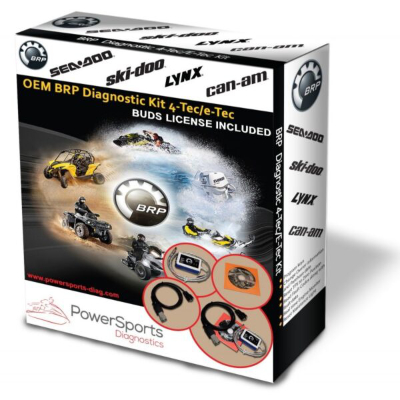
MotoMarine's BRP / Sea-Doo / Rotax diagnostic tools include BUDS/BUDS2 and BUDS3 equipment along with related diagnostic products. The correct system depends on the Sea-Doo generation, control modules and the functions the user needs.
Depending on the vehicle and diagnostic package, BUDS-family tools can provide functions such as reading and clearing faults, monitoring engine data, resetting service information, performing certain throttle or component procedures, and carrying out vehicle-specific programming functions. Some configurations also support functions such as key programming or communication between electronic modules.
BUDS3 is not simply a software update for every older interface. Note that BUDS3 licenses require the newer V800 diagnostic hardware rather than BRP MPI-2 or MPI-3 interfaces.
| BRP / Sea-Doo Platform | Common Diagnostic Suite | Notes |
|---|---|---|
| Earlier Sea-Doo models | BUDS | Uses legacy BRP interfaces (e.g., MPI-2) and cables. |
| Mid-generation Sea-Doo | BUDS2 | Expanded coverage and updated software for newer ECUs. |
| Latest Sea-Doo platforms | BUDS3 + V800 | Requires V800 hardware; not a drop-in update for older MPI units. |
Diagnostic Tools Are Not the Same as Tuning Tools
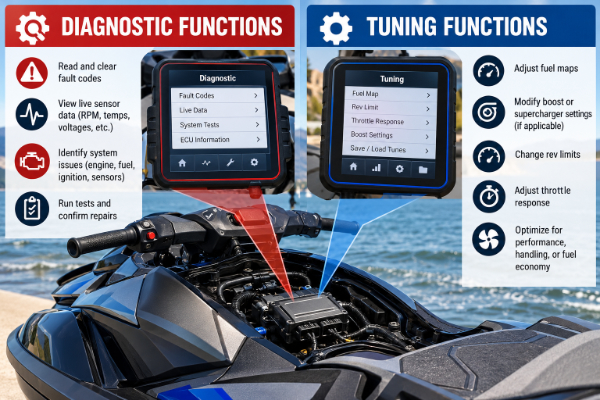
Diagnostics and ECU tuning can overlap, but they are not the same job.
A diagnostic system is primarily intended to inspect vehicle data, retrieve faults, perform service procedures and communicate with control modules. A tuning or flashing tool changes calibration data to alter vehicle behavior or performance.
Some modern products combine both roles. For example, certain mobile flashing platforms also provide fault-memory access, live data and service resets. Before buying a tool, determine whether you need diagnostics, tuning, or both rather than assuming any device connected to the diagnostic port performs the same functions. Got questions? Give us a call.
Check Compatibility Before You Buy
Before choosing a diagnostic kit, confirm:
- PWC manufacturer, model and model year
- Supported ECU or control-system generation
- Required diagnostic interface and cables
- Software and license requirements
- Computer, tablet or phone compatibility
- Whether the specific service functions you need are supported
The right diagnostic tool turns the watercraft's electronic system into a source of usable troubleshooting information. For Yamaha owners that means selecting the appropriate YDS/YDIS generation; for Sea-Doo owners it means matching the vehicle to the correct BUDS-family hardware and software. Compatibility is the first step—after that, the value comes from using the data to diagnose the actual problem rather than simply clearing the warning from the screen.
Need Help Choosing the Right Jet Ski Diagnostic Tool?
Match Yamaha and Sea-Doo systems with the correct interfaces, licenses and cables for your shop or garage.Shop Jet Ski Diagnostic Tools
